
So you’ve decided to ditch cable and switch to 4K IPTV streaming — great choice! But now comes the next question: what device should you use? The good news is that 4KTVPlan works on virtually every modern device — from budget streaming sticks to high-end Android boxes and Smart TVs.
In this guide, we’ve ranked and reviewed the best devices for 4K IPTV in 2026 — covering performance, price, ease of use, and compatibility with top IPTV apps like IPTV Smarters Pro and TiViMate. Whether you’re a complete beginner or a seasoned cord-cutter, this list will help you pick the perfect device for your setup.
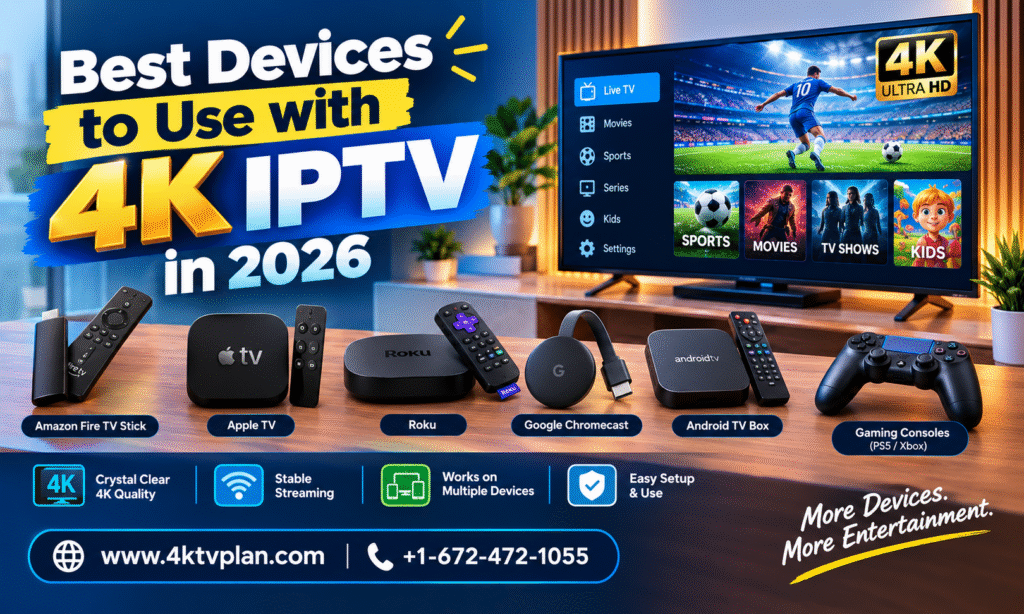
✅ All devices listed below are fully compatible with 4KTVPlan. Once you have your subscription, setup takes just a few minutes on any of these devices. Don’t have a subscription yet? View our IPTV plans here.
📋 Table of Contents
- Amazon Firestick 4K Max — Best Overall
- NVIDIA Shield Pro — Best for Power Users
- Android TV Box — Best Budget Option
- Smart TV (Samsung / LG) — Best for Simplicity
- Android Phone & Tablet
- iPhone & iPad
- Windows PC & Mac
- MAG Box — Best for Traditional IPTV Users
- Full Device Comparison Table
- Which Device Should You Choose?
1. Amazon Firestick 4K Max – Best Overall
The Amazon Firestick 4K Max is hands down the most popular device for IPTV streaming in 2026 — and for very good reason. It’s affordable, powerful, portable, and works flawlessly with all major IPTV apps.
The 4K Max model supports Wi-Fi 6, 4K Ultra HD, Dolby Vision, HDR10+, and Dolby Atmos — making it one of the most future-proof streaming sticks on the market. Plug it into any HDMI port and you’re ready to stream in minutes.
- Price: ~$59.99
- Best IPTV Apps: IPTV Smarters Pro, TiViMate, GSE Smart IPTV
- Max Streaming Quality: 4K Ultra HD
- Wi-Fi: Wi-Fi 6 (fastest available)
✅ Pros
- Affordable one-time cost
- Supports 4K, Dolby Vision, HDR10+
- Wi-Fi 6 for faster, stable streaming
- Portable — use on any TV
- Large app ecosystem
❌ Cons
- No Ethernet port (adapter needed)
- Amazon ads on home screen
- Less powerful than NVIDIA Shield
💡 Already have a Firestick? Follow our step-by-step Firestick IPTV setup guide and start streaming in under 10 minutes.
2. NVIDIA Shield Pro – Best for Power Users
If budget is no concern and you want the absolute best IPTV streaming device in 2026, the NVIDIA Shield Pro is in a league of its own. Powered by the NVIDIA Tegra X1+ processor, it delivers console-level performance for streaming, gaming, and even AI upscaling.
The Shield Pro supports 4K HDR, Dolby Vision, Dolby Atmos, and even upscales lower-resolution content to near-4K quality using AI. For serious IPTV users who want zero buffering, zero compromises, and the best possible picture — this is it.
- Price: ~$199.99
- Best IPTV Apps: TiViMate, IPTV Smarters Pro, Kodi
- Max Streaming Quality: 4K HDR + AI Upscaling
- Storage: 16GB internal + USB expandable
✅ Pros
- Most powerful streaming device available
- AI 4K upscaling technology
- Built-in Ethernet port
- Expandable storage via USB
- Works as a Plex Media Server
❌ Cons
- Expensive — ~$199
- Overkill for casual viewers
- Bulkier than a streaming stick
3. Android TV Box – Best Budget Option
An Android TV Box for IPTV is the most flexible and affordable way to get into 4K IPTV streaming. Unlike branded devices like Firestick, Android boxes run a full version of Android — giving you complete freedom to install any app, customize your launcher, and even use a wired Ethernet connection right out of the box.
Popular models like the Tanix TX9S, MeCool KM2 Plus, and X96 Max+ offer excellent value for money — most priced between $30–$80 — and support 4K HDR, Dolby, and all major IPTV apps.
- Price: $30–$80 depending on model
- Best IPTV Apps: TiViMate, IPTV Smarters Pro, Perfect Player
- Max Streaming Quality: 4K Ultra HD
- Ethernet: ✅ Built-in on most models
✅ Pros
- Very affordable
- Full Android — install any app
- Built-in Ethernet port
- More storage than Firestick
- No brand restrictions
❌ Cons
- Quality varies by brand
- Less polished UI than Firestick
- No official Amazon/Google support
4. Smart TV — Samsung & LG 📺 Best for Simplicity
Already have a Samsung or LG Smart TV? You might not need any additional device at all. Modern Smart TVs in 2026 are powerful enough to run IPTV apps natively — no extra box, no extra cables.
Samsung Tizen and LG webOS Smart TVs support apps like Smart IPTV, SS IPTV, and IPTV Smarters directly from their app stores. If your Smart TV runs Android TV (like Sony or Philips), you can even install TiViMate directly.
- Best for: Users who already own a Smart TV and want zero extra hardware
- Best IPTV Apps: Smart IPTV, SS IPTV, IPTV Smarters (Android TV only)
- Max Streaming Quality: 4K Ultra HD (on compatible models)
✅ Pros
- No extra device needed
- Clean, integrated experience
- Large screen native 4K
- Built-in Ethernet on most TVs
❌ Cons
- App options more limited than Android
- Older Smart TVs may lag
- Some apps require one-time activation fee
💡 Not sure which app to use on your Smart TV? Check our device-specific IPTV setup tutorials for Samsung, LG, Sony, and more.
5. Android Phone & Tablet
Your Android smartphone or tablet is actually one of the most convenient IPTV devices you own. Whether you’re commuting, traveling, or just watching in bed — IPTV on Android gives you full access to your 4KTVPlan subscription on the go.
IPTV Smarters Pro is available on the Google Play Store and works perfectly with 4KTVPlan on any Android device running Android 5.0 or higher. The app supports both M3U and Xtream Codes login — setup takes under 2 minutes.
- Best IPTV Apps: IPTV Smarters Pro, TiViMate (Android TV), GSE Smart IPTV
- Max Streaming Quality: Up to 4K (device dependent)
- Data Usage: ~2–4 GB per hour for HD streaming
✅ Pros
- Always with you — watch anywhere
- Free to use (no extra hardware)
- Easy app installation from Play Store
- Cast to TV via Chromecast
❌ Cons
- Small screen for long viewing
- Uses mobile data if not on Wi-Fi
- Battery drain during extended streaming
6. iPhone & iPad
Apple users aren’t left out. IPTV on iPhone and iPad works smoothly with 4KTVPlan using apps like GSE Smart IPTV and IPTV Smarters Pro — both available on the Apple App Store.
The iPad in particular makes for an excellent IPTV viewing device — its large Liquid Retina display and powerful chip deliver a fantastic streaming experience. You can also use AirPlay to mirror content from your iPhone or iPad directly to your Apple TV or AirPlay-compatible Smart TV.
- Best IPTV Apps: GSE Smart IPTV, IPTV Smarters Pro, Flex IPTV
- Max Streaming Quality: Up to 4K (iPad Pro models)
- AirPlay Support: ✅ Yes
✅ Pros
- Premium display quality
- AirPlay to Smart TV
- Portable and lightweight
- Reliable iOS performance
❌ Cons
- Fewer IPTV app options vs Android
- Some apps charge a one-time fee on App Store
- No sideloading without developer account
7. Windows PC & Mac
Your laptop or desktop computer is a perfectly capable IPTV streaming device. Whether you’re at home or working remotely, you can watch live TV, sports, and VOD content directly on your PC or Mac using 4KTVPlan.
The easiest method is using VLC Media Player — a free, open-source player that supports M3U playlists natively. Simply load your 4KTVPlan M3U URL into VLC and you’re streaming instantly. Alternatively, you can use IPTV Smarters Web directly in your browser.
- Best IPTV Apps: VLC Media Player, IPTV Smarters Web, Kodi
- Max Streaming Quality: 4K (monitor dependent)
- Setup Difficulty: Easy — 2 minutes with VLC
✅ Pros
- No extra hardware needed
- Large monitor for great viewing
- VLC is completely free
- Connect to TV via HDMI for big screen
❌ Cons
- Not ideal for living room TV setup
- Less intuitive remote control navigation
- VLC UI is basic compared to TiViMate
8. MAG Box 📡 Best for Traditional IPTV Users
The MAG Box is a dedicated IPTV set-top box manufactured by Infomir. It’s designed exclusively for IPTV — making it one of the most reliable and purpose-built devices for serious IPTV users who want a traditional TV-like experience.
Popular models like the MAG 520, MAG 522, and MAG 524 support 4K Ultra HD, built-in Wi-Fi, and Ethernet — and connect to your IPTV provider using a portal URL (which 4KTVPlan provides upon subscription).
- Price: $80–$150 depending on model
- Setup Method: Portal URL (provided by 4KTVPlan)
- Max Streaming Quality: 4K Ultra HD
- Ethernet: ✅ Built-in
✅ Pros
- Purpose-built for IPTV
- Extremely stable performance
- Built-in Ethernet — wired connection
- Simple remote like traditional TV
❌ Cons
- More expensive than Firestick
- Limited to IPTV — no Netflix/YouTube
- Less flexible than Android devices
🔥 Whichever device you choose — 4KTVPlan works on all of them!
👉 Get Your 4KTVPlan Subscription — From Just $12.50/Month
Full Device Comparison Table 2026
| Device | Price | Max Quality | Best App | Ethernet | Portability | Rating |
|---|---|---|---|---|---|---|
| Firestick 4K Max | $59.99 | 4K HDR | TiViMate | Adapter needed | ✅ High | ⭐⭐⭐⭐⭐ |
| NVIDIA Shield Pro | $199.99 | 4K AI Upscale | TiViMate | ✅ Built-in | ❌ Low | ⭐⭐⭐⭐⭐ |
| Android TV Box | $30–$80 | 4K HDR | TiViMate | ✅ Built-in | Medium | ⭐⭐⭐⭐ |
| Smart TV | Already owned | 4K HDR | Smart IPTV | ✅ Built-in | ❌ Low | ⭐⭐⭐⭐ |
| Android Phone | Already owned | Up to 4K | IPTV Smarters | ❌ No | ✅ High | ⭐⭐⭐⭐ |
| iPhone / iPad | Already owned | Up to 4K | GSE Smart IPTV | ❌ No | ✅ High | ⭐⭐⭐⭐ |
| Windows PC / Mac | Already owned | 4K | VLC / Kodi | ✅ Usually | Medium | ⭐⭐⭐ |
| MAG Box | $80–$150 | 4K HDR | Built-in Portal | ✅ Built-in | ❌ Low | ⭐⭐⭐⭐ |
Which Device Should You Choose?
Still not sure which device is right for you? Here’s our quick recommendation guide:
- 🏆 Best overall value → Amazon Firestick 4K Max
- ⚡ Best performance, no compromise → NVIDIA Shield Pro
- 💰 Tightest budget → Android TV Box ($30–$50)
- 📺 Already have a Smart TV → Use it directly with Smart IPTV
- 📱 On the go streaming → Android phone or iPhone with IPTV Smarters
- 📡 Traditional IPTV experience → MAG Box 520/522
- 💻 At your desk or home office → PC or Mac with VLC
No matter which device you go with — 4KTVPlan has you covered. Our service works seamlessly across all platforms and our 24/7 support team is always available to help you get set up. Contact us on WhatsApp anytime.
Ready to Start Streaming?
Now that you know the best devices for 4K IPTV streaming in 2026, all that’s left is getting your subscription and starting your entertainment journey. With 4KTVPlan, you get 10,000+ live channels, 24,000+ movies, live sports, and PPV events — all starting from just $10/month.
Not ready to commit? Try our free 24-hour IPTV trial — no credit card needed. Claim your free trial on WhatsApp today.
📺 Your perfect IPTV setup is just one step away.

Explore more from 4KTVPlan: