
Take a look at the average living room today and you’ll usually find a small pile of remotes, a handful of streaming apps, maybe a leftover antenna, and a cable or satellite box quietly running up the monthly bill. It’s a fair question to ask: could a single IPTV subscription actually replace all of that, or is it just one more thing to add to the pile?
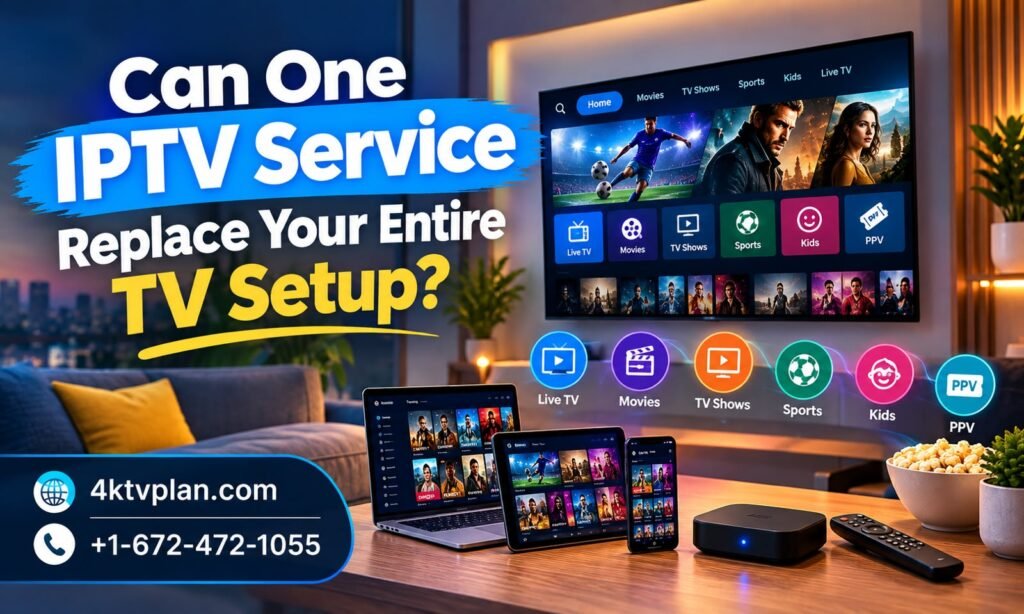
The short answer is that for most households, yes — a well-built IPTV subscription can realistically replace the bulk of a traditional TV setup. In this guide, we’ll walk through exactly what that means in practice, what IPTV can and can’t do, and how to know if it’s the right move for your household.
What “Entire TV Setup” Actually Means Today
A modern TV setup is rarely just one thing anymore. It’s usually a cable or satellite box for live channels, one or two separate apps for movies and series, maybe a dedicated sports package, a device for casting from a phone, and sometimes even an old antenna kept around as a backup. Each piece typically comes with its own remote, its own login, and its own monthly charge.
That fragmentation is exactly what makes the question worth asking. If a single service can genuinely cover live TV, on-demand movies and series, sports, and international channels all in one place, the case for simplifying down to just that one subscription becomes very strong — both for convenience and for the household budget.
It’s also worth thinking about the mental overhead a fragmented setup creates, beyond just the money. Remembering which app has which show, juggling separate passwords, and troubleshooting a different box every time something goes wrong all add up to a surprising amount of hassle that most households have simply learned to live with, rather than actually solved.
What IPTV Actually Replaces
IPTV delivers live channels, on-demand movies and series, and sports coverage over your internet connection instead of through a satellite dish, cable line, or separate streaming apps. In practical terms, that means it’s designed to directly replace the two biggest pieces of a traditional setup: the cable or satellite box, and the separate on-demand or sports subscriptions many households add on top of it.
Instead of paying for a cable package, a sports tier, and a couple of standalone apps separately, IPTV consolidates all of that into a single app and a single monthly cost. For most households, that’s the core of the traditional setup right there — replaced by one subscription instead of several.
Can IPTV Handle Live TV?
Yes. A proper IPTV subscription includes thousands of live channels covering local broadcasts, news, entertainment, and specialty programming, organized through an electronic programme guide the same way a traditional cable box displays its lineup. You can browse the schedule, switch channels, and watch live exactly the way you would with a cable box — just through an app instead of a set-top box.
The technology behind this relies on adaptive streaming, which automatically adjusts picture quality to match your internet speed in real time. In practice, this means live channels stay smooth even when a few devices in the house are streaming at once, without the kind of signal interference that can affect a traditional dish during bad weather.
Can IPTV Handle Sports?
This is often the biggest question households have before switching, and it’s covered in more depth in why sports fans are choosing IPTV in growing numbers and the ultimate weekend streaming setup for families. A full-featured IPTV subscription typically includes major leagues, round-the-clock sports channels, and pay-per-view events, which usually means the standalone sports package that many households pay extra for on top of cable becomes unnecessary.
Can IPTV Handle Movies and Series On-Demand?
Yes, and this is often where IPTV replaces the most separate subscriptions at once. As explored in why viewers want everything in one place, a strong IPTV plan bundles a large on-demand movie and series library directly alongside live TV and sports, removing the need to manage several standalone streaming apps just to cover different types of content.
Can IPTV Handle International and Multicultural Programming?
For many households, international channels are the hardest piece to consolidate, since traditional bundles often treat them as a pricey add-on rather than a core feature. As detailed in our guide to Indian channels available through IPTV in the USA, IPTV folds global and regional programming directly into the same subscription as domestic content, which is often the single biggest simplification multicultural households experience when they switch.
Can IPTV Handle Multiple Rooms and Devices?
A full TV setup usually means more than one screen — a living room TV, a bedroom TV, maybe a tablet for the kids. IPTV plans typically support multiple simultaneous connections, so the same subscription can cover a Smart TV, a FireStick on a second television, and a phone or tablet all at once, which is exactly what a traditional multi-room cable setup would otherwise require several extra equipment fees to achieve.
What About Personalization for Every Household Member?
One thing a shared cable box has never done well is let different family members build their own individual viewing experience. As we covered in why personalized entertainment is taking over, IPTV lets each person save their own favourites and watch on their own device, which is something a single shared box simply can’t replicate no matter how many channels it includes.
What About Devices You Already Own?
One question that comes up often is whether replacing a full TV setup means buying new hardware. In most cases, it doesn’t. IPTV apps typically run on devices households already own — a Smart TV, a game console, a streaming stick plugged into an older television, or even a tablet or laptop. If your household already has any of these, there’s usually nothing new to purchase just to get started.
This matters for the replacement question specifically, because it means the switch doesn’t require an upfront hardware investment the way upgrading a satellite dish or adding extra cable boxes to more rooms would. The existing screens in your home can generally be repurposed immediately, which removes one more barrier that might otherwise make the switch feel bigger than it actually is.
Being Honest: What IPTV Doesn’t Replace
It’s worth being upfront about the pieces IPTV doesn’t take over. You’ll still need a reliable internet connection — IPTV runs on top of your existing internet service rather than replacing it, so your internet bill stays separate. You’ll also still need a streaming-capable device, whether that’s a Smart TV, a streaming stick, or a similar device, since IPTV is an app-based service rather than physical broadcast hardware.
For households in areas with unreliable or very limited internet access, a traditional setup might still make more sense until that infrastructure improves. And for anyone specifically attached to physical, over-the-air local broadcasts as a free backup option, keeping a basic antenna around as a secondary source is a reasonable choice rather than an either-or decision.
How Different Households Have Made the Switch
Across the country, households in very different situations have found that IPTV realistically replaces most or all of their previous setup. We’ve documented this in detail in New York City, Los Angeles, Seattle, Illinois, Georgia, Florida, Dallas-Fort Worth, Toronto, Winnipeg, and Washington. For the broader national picture, our guide to the best IPTV service in the USA breaks down exactly why this consolidation keeps happening region by region.
The details differ from household to household — a sports-obsessed family, a multicultural household relying on international channels, a renter tired of installation appointments — but the underlying pattern is the same: nearly everything the old setup covered ends up living inside one app instead of several.
What’s consistent across nearly every case we’ve documented is the order in which households usually cancel their old services. Standalone streaming apps for movies and series tend to go first, since the overlap with an IPTV subscription’s on-demand library is immediate and obvious. The main cable or satellite package is typically next, once a household has confirmed live channels and sports are fully covered. International add-ons, when applicable, are often the last piece to go, simply because households want extra confidence that every specific channel they rely on is genuinely included before fully committing.
The Cost Side of Consolidation
Beyond convenience, there’s a real financial case for replacing a fragmented setup with a single subscription. Traditional bundles often combine a base package, a sports tier, equipment rental fees, and one or more separate streaming subscriptions layered on top. Added together, that can easily run well past what a single all-inclusive IPTV plan costs each month.
Consider a household paying separately for a base cable package, an add-on sports tier, a couple of streaming apps for movies and series, and an international channel package on top of all that. Individually, each of those charges might not seem huge, but stacked together over a full year, the total often surprises people once they actually add it up. Consolidating all of that into one flat-rate IPTV subscription frequently ends up costing noticeably less, even before factoring in the convenience of a single bill and a single login.
| Plan | Price | What’s Included |
| 1 Month | $10 | 10,000+ live channels, all sports & PPV events, movies, series, multi-device support |
| 3 Months | $30 | Same full access, better value across a season or semester |
| 6 Months | $60 | Covers half a year of live TV, sports, and on-demand content |
| 12 Months | $110 | Best long-term value for replacing a full year of separate subscriptions |
Every plan includes the same complete package — live TV, sports, movies, series, and international channels, along with multi-device support and 24/7 support. You can compare the full breakdown on the subscription page and decide which length fits your household best.
How to Test If IPTV Can Replace Your Setup
The easiest way to answer this question for your own household is to actually try it, rather than guessing. Start with a short plan, follow the setup tutorial to get everything running on your main TV, and spend a week or two watching the same way you normally would — live TV, a movie night, a sports broadcast, and any international channels your household relies on.
Before you start, it’s worth checking the full channel list to confirm the specific channels and content your household actually watches are included. If everything you’d normally reach for is covered, that’s usually a clear sign the rest of your old setup is safe to cancel.
A Simple Checklist Before You Cancel Your Old Setup
- Confirm your must-watch live channels are included in the channel list
- Test sports coverage during an actual live game, not just a quiet weekday
- Check that your favourite movies, series, or international channels are all present
- Set up the app on every device and TV that previously relied on the old setup
- Give it at least a week of normal, everyday use before making a final decision
Running through this short list before cancelling anything else ensures you’re not caught without something your household actually relies on, and gives you the confidence to fully replace the old setup once everything checks out. It only takes a week or two of ordinary, everyday viewing to know for certain either way.
Getting Started
If you’re ready to see whether IPTV can genuinely replace your current setup, start by browsing the subscription plans to pick a length that fits, then follow the setup tutorial to get everything running. You can always visit the homepage for a full overview, browse more guides on the blog, or reach out through the contact page with any questions before you switch.
The Bottom Line
For the vast majority of households, a well-built IPTV subscription can realistically replace the cable or satellite box, the separate sports package, the standalone movie and series apps, and the extra international channel add-on — all at once, in a single subscription. What it won’t replace is your internet connection or the need for a streaming-capable device, but for most homes, those pieces are already in place.
The best way to know for sure is to test it against your own household’s actual viewing habits rather than assuming either way. Given the low cost of a single month and the fact that most of what your old setup covered is likely already included, there’s very little risk in finding out firsthand.
Ultimately, the question isn’t really whether IPTV is capable of replacing a full TV setup in theory — for most households, it clearly is. The real question is whether your specific channels, sports coverage, and everyday viewing habits line up with what’s included, and that’s something only a short, low-cost trial can answer with certainty.
Frequently Asked Questions
Can IPTV really replace a traditional cable or satellite subscription?
For most households, yes. A full IPTV subscription typically includes live channels, sports, movies, series, and international content, covering the same core needs a traditional cable or satellite package would.
Do I still need internet service if I switch to IPTV?
Yes. IPTV runs over your existing internet connection rather than replacing it, so your internet service stays separate while everything else consolidates into one subscription.
Will I still need a streaming device or Smart TV?
Yes, a Smart TV, FireStick, Android device, or similar streaming-capable device is needed to run the IPTV app, since it’s an app-based service rather than physical broadcast hardware.
Can IPTV cover multiple TVs in the same house?
Many IPTV plans support multiple simultaneous connections, allowing the same subscription to cover several TVs and devices throughout the household at once.
How much does a full IPTV replacement subscription cost?
Plans typically range from around $10 for a single month up to roughly $110 for a full year, with live TV, sports, movies, series, and international channels all included in the same flat price.
What’s the best way to test if IPTV covers everything I currently watch?
Start with a short plan, check the full channel list for your must-watch content, and use it normally for a week or two before deciding whether to cancel any other services.
Does switching to IPTV mean giving up live sports coverage?
No. A full-featured IPTV subscription typically includes major leagues, sports channels, and pay-per-view events, which for most households replaces the need for a separate sports package entirely.
